Design, 3D and generative art
A design archive and site builder, a 3D ring builder, and scenes, buildings and portraits drawn entirely in text characters.
Design and 3D
Two large builds from the last week: a design archive that has become the parts bin for my other sites, and a 3D ring builder good enough to put in front of a jeweler.
Case study 39 · Design archive + website builder
Specimen Room
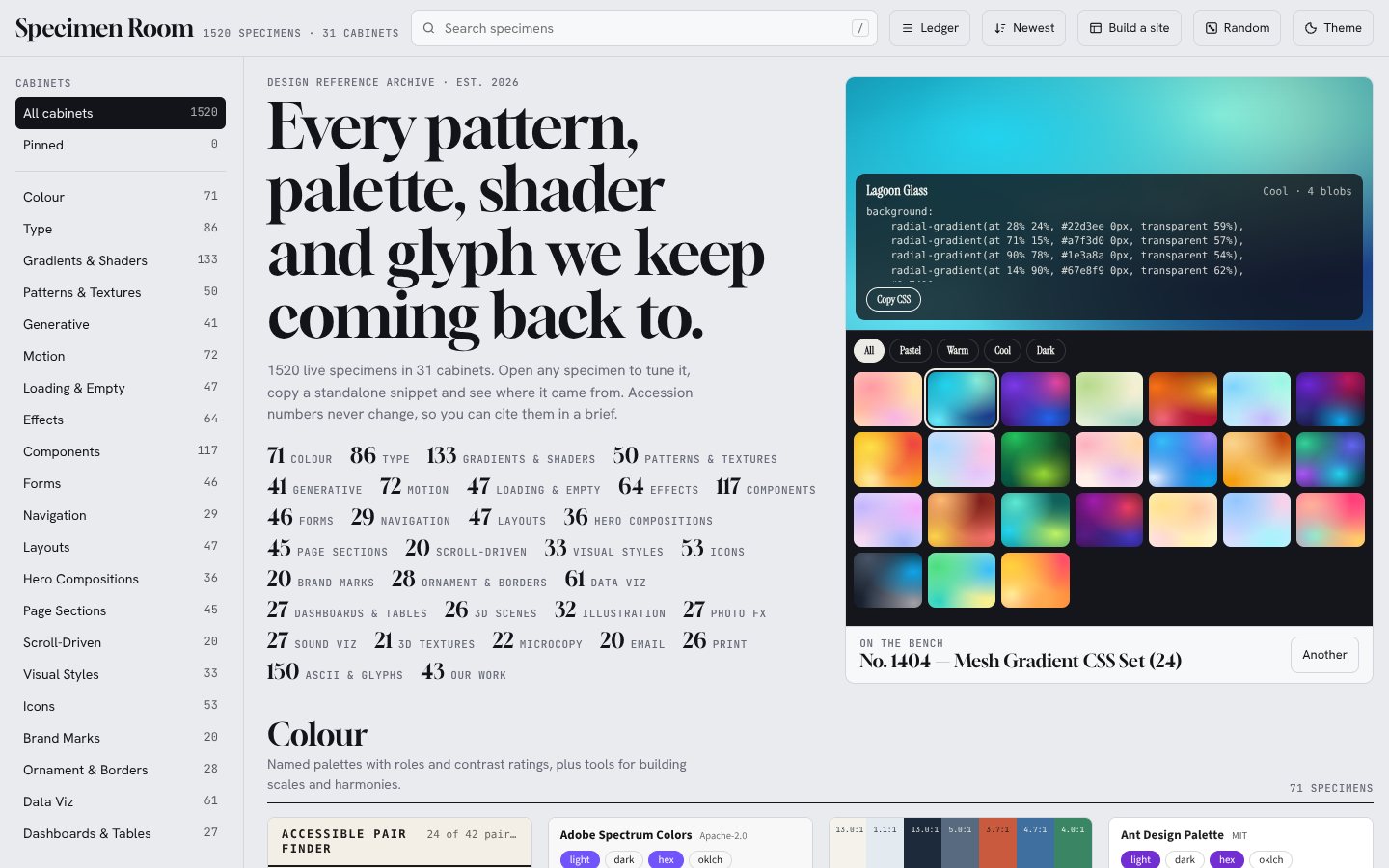
A live design reference archive of 1,520 working specimens in 31 cabinets, from palettes, type and shaders to scroll effects, ornament and ASCII art, plus a website builder that assembles a whole one-page site from them. Every specimen can be tuned on the spot and copied as standalone code.
Specimen Room
A live design reference archive of 1,520 working specimens in 31 cabinets, from palettes, type and shaders to scroll effects, ornament and ASCII art, plus a website builder that assembles a whole one-page site from them. Every specimen can be tuned on the spot and copied as standalone code.
No public link yet
- Live specimens
- 1,520
- Cabinets
- 31
- Specimens with live controls
- 1,322
- Gradients and shaders
- 133
- ASCII and glyph pieces
- 150
- Site themes in the builder
- 14
How it grew
The archive went from 825 specimens to 1,520 in three days, in batches. Each batch was rendered, screenshotted wing by wing and checked before it went in, and every specimen keeps a permanent accession number, so nothing already cited moves.
- Oct 26
- 825
- Oct 26
- 947
- Oct 27
- 1,080
- Oct 27
- 1,211
- Oct 28
- 1,248
- Oct 28
- 1,520
The later batches came from three places: ideas rebuilt from scratch, ports from openly licensed libraries (shadcn, daisyUI, Tremor, Magic UI, Paper Shaders and others) with each license kept on the specimen, and a batch of form and section specimens written by Gemini from a house guide and held to the same checks.
What each specimen gives you
- A live sample, drawn in the browser rather than shown as a picture.
- Controls built from the specimen's own settings, so a palette, a seed or a speed can be changed and seen at once.
- Standalone code that reproduces exactly what is on screen, with a copy button.
- A permanent accession number, its source and its license, so a specimen can be cited in a brief.
How a page with 1,520 live pieces stays fast
- Loaded by cabinet: each cabinet's code arrives only when one of its specimens is about to be seen.
- Mounted near the screen only, a few per frame, and stopped again when scrolled away. Animation also pauses in background tabs.
- A WebGL budget: browsers keep about 16 live 3D contexts, so the archive holds at most 9 and unloads the ones farthest from the middle of the screen.
- Sealed styles: every specimen renders in its own shadow root, so no specimen's CSS can leak into another.
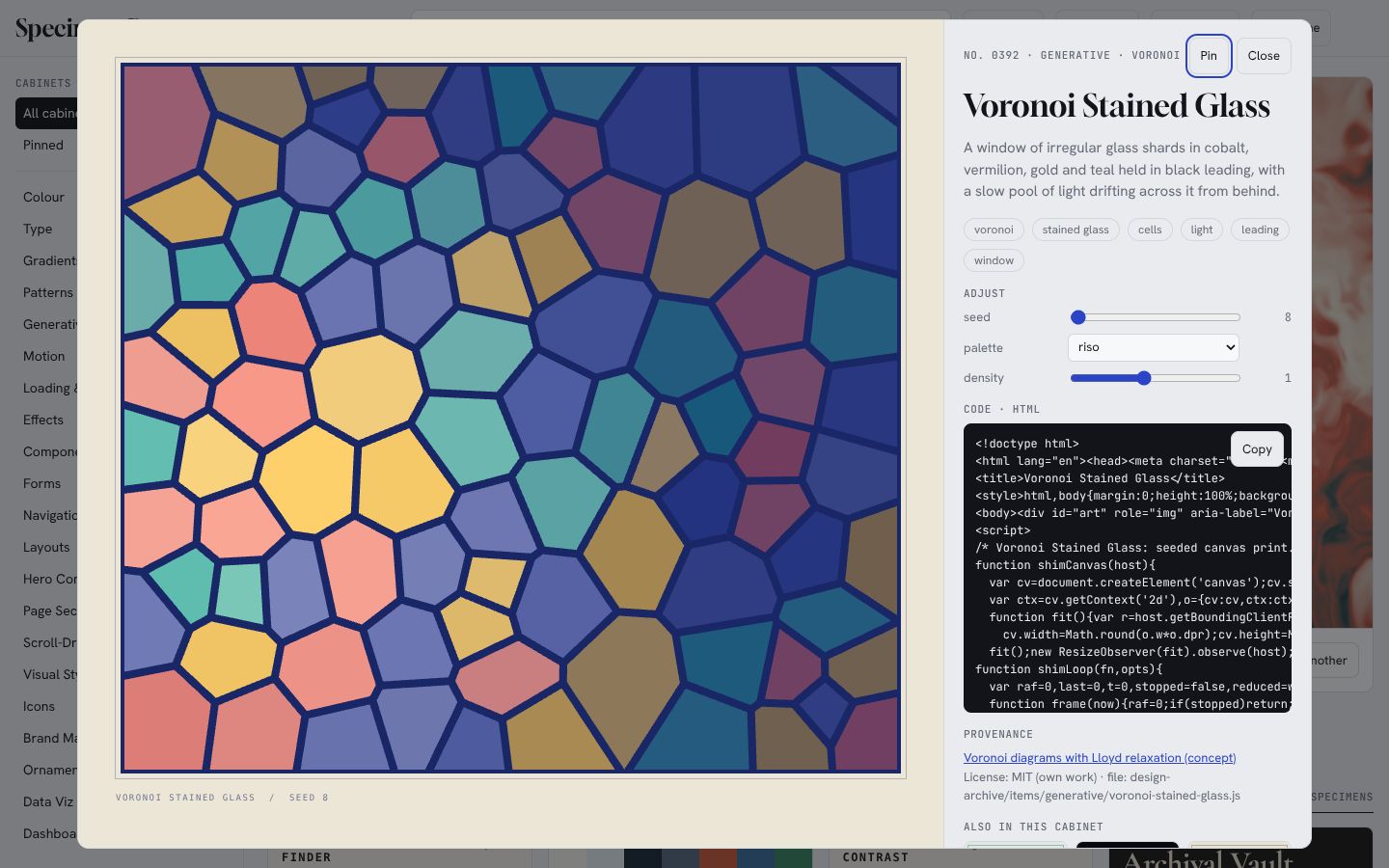
Where this site's effects came from
The picture index, the numbers that count up, the paper grain, the shader backdrops, the before-and-after sliders and the reading bar on this page were all chosen from the archive and rebuilt to fit this site's colours and appearance settings.
Specimen Builder: a website from the archive
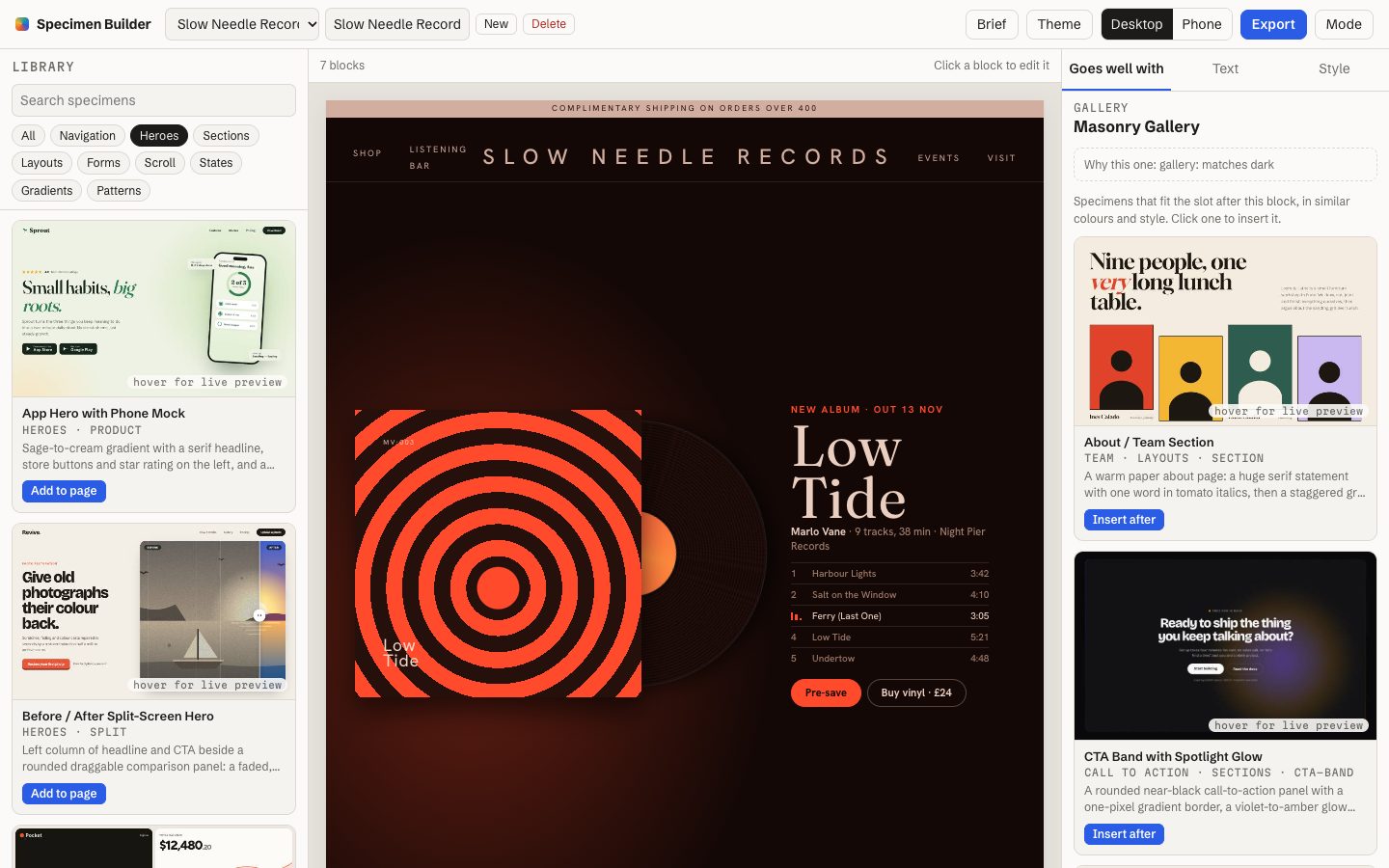
Describe a business in a sentence, such as a record shop with a listening bar, and the builder lays out a one-page site from the archive's navigation bars, heroes, sections, forms and footers. Then it makes the result look like one site instead of a collage of seven.
What makes it helpful
- Starts from a brief. Claude picks a starter page of five to eight blocks and says why each fits. Without Claude, a local scorer fills the same slots from the brief's words, so it always works.
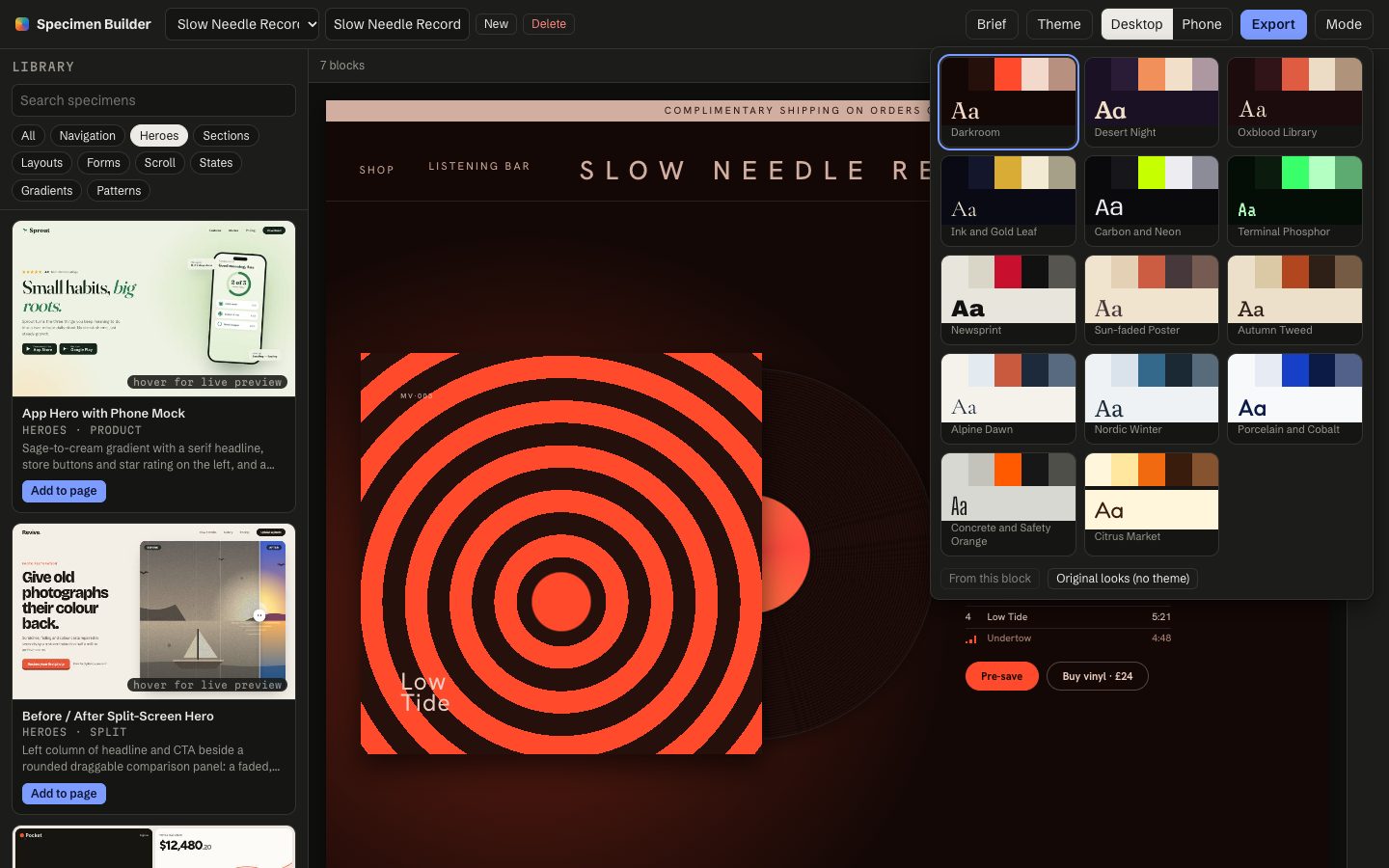
- One theme for the whole site. Fourteen themes built from the archive's own palettes and type pairings, or "from this block" to borrow the look of one you like.
- Copy for your business. Claude rewrites each block's text for the brief, keeping lengths close, and every line can be edited by hand.
- Exports one file that rebuilds the page on load, as a normal web page or a page ready to publish on Claude.
The hard part: one site, not a collage
Every specimen arrives with its own fonts, colours and invented brand. The re-skin pass reads every colour in a block, sorts it by tone against that block's own background, and maps it onto the theme's ramp, with strong colours becoming the accent. Fonts follow the theme, and the shop's name replaces each specimen's fake brand in headers and footers. A final pass pushes any text below the AA contrast standard back toward legibility.
Checked on 231 blocks across seven cabinets with no render errors, and on 156 text pairs in three themes with none below AA. The same check on the unthemed page finds failures, so it can fail.
Built with Claude Code under my direction. I chose what goes into each cabinet and judged every specimen; Claude wrote the specimens, the catalog, the archive's viewer and the Specimen Builder, and Gemini added two batches of form and section specimens following a written guide. When the first version of the builder produced collages, I said so, and the second version was rebuilt around the theme and re-skin pass.
Case study 40 · 3D product builder
Ring Studio
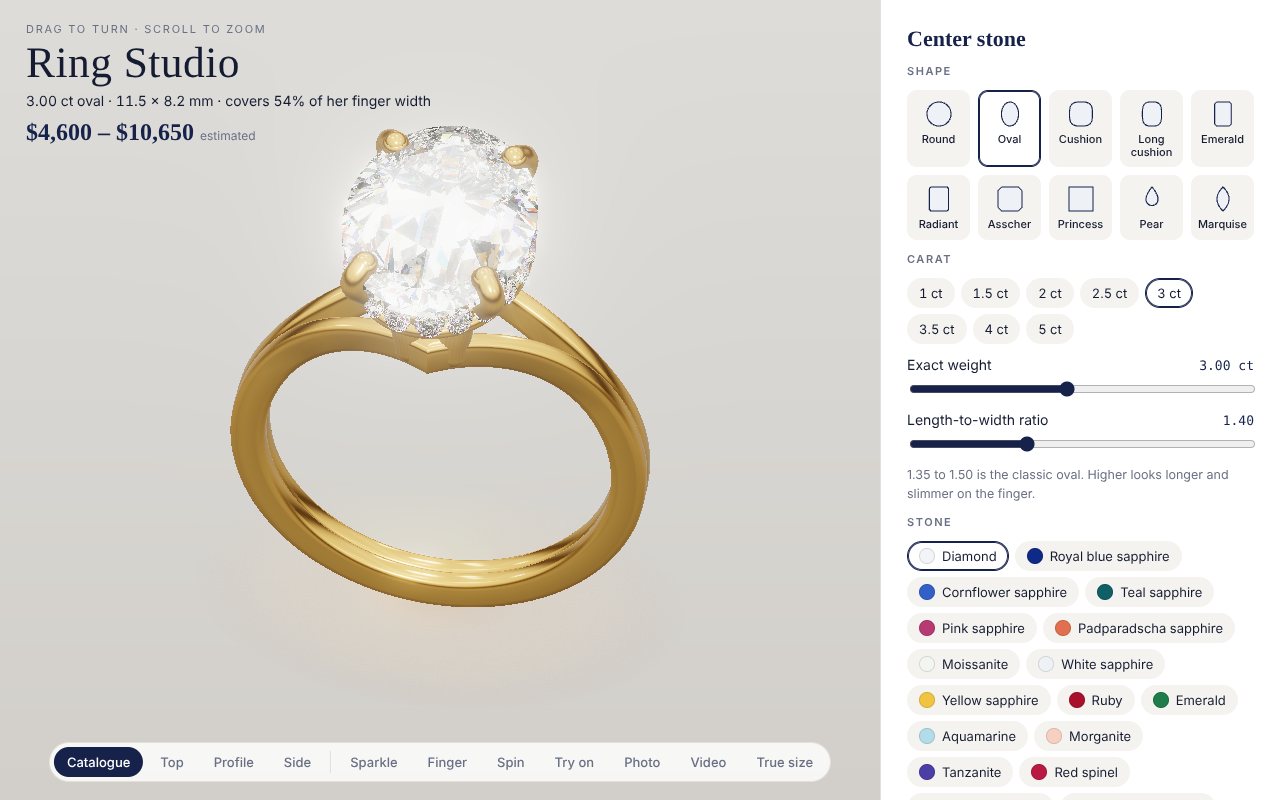
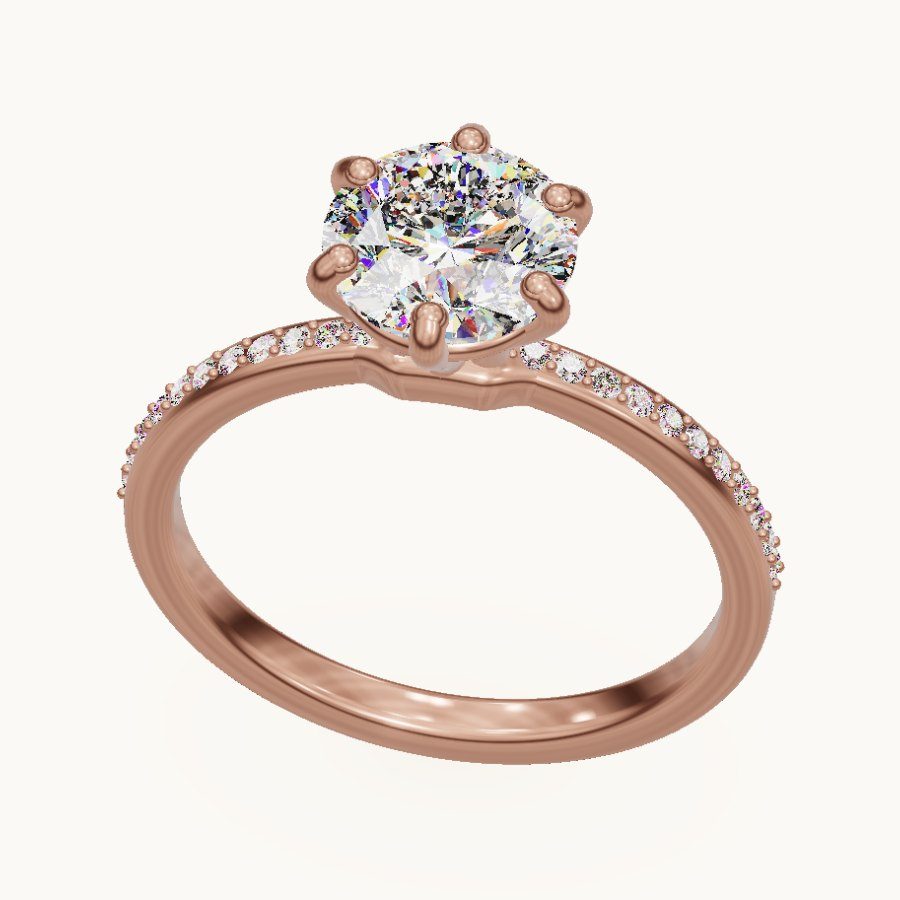
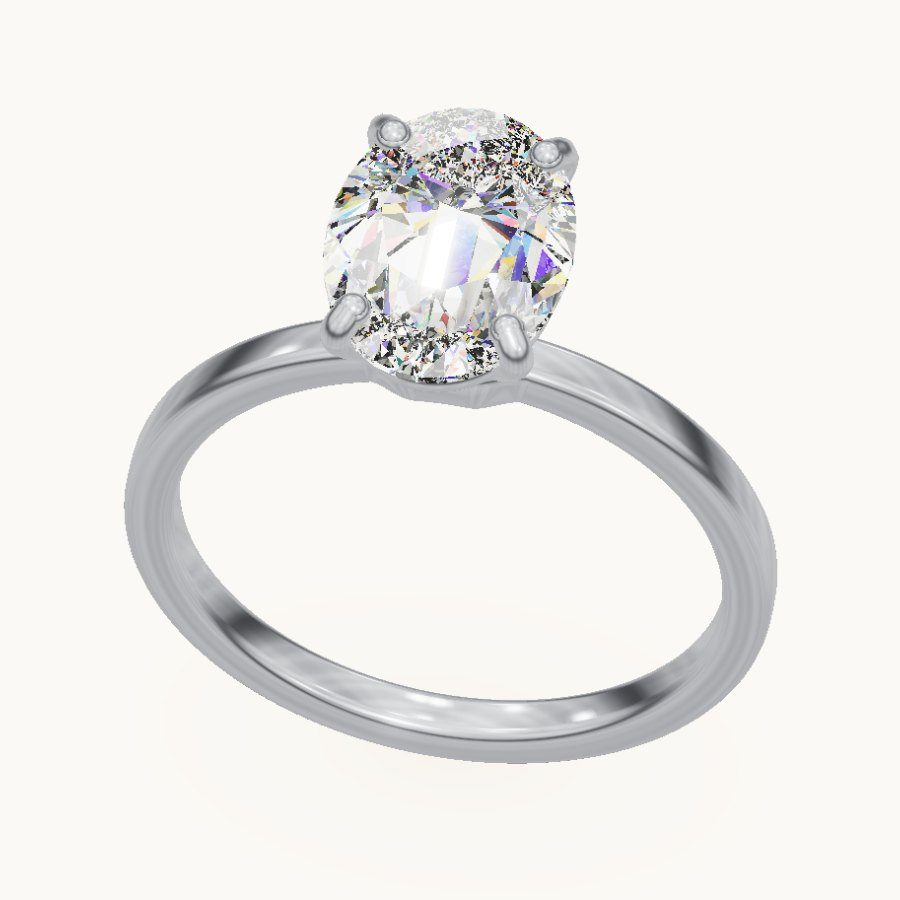
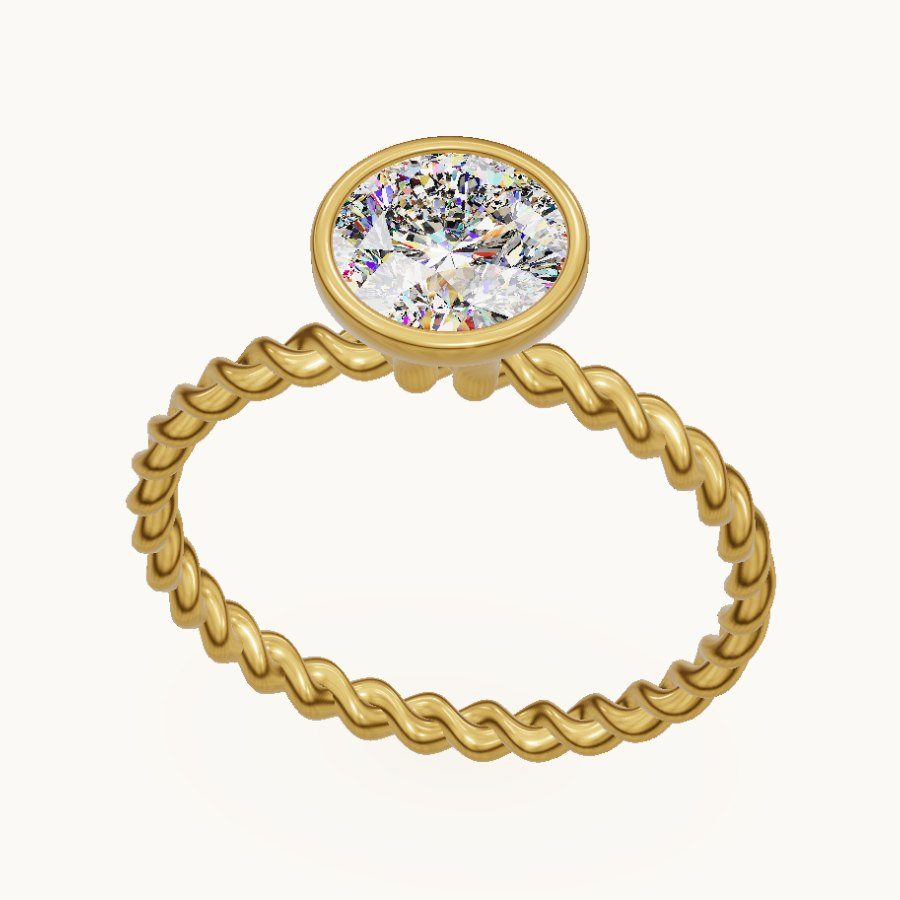
An engagement-ring builder in the browser. Pick a stone, a setting and a band and the ring is rebuilt to scale in millimetres, with diamonds that refract light the way real ones do, a live price estimate, try-on over a photo of your hand, and a casting file a jeweler can open.
Ring Studio
An engagement-ring builder in the browser. Pick a stone, a setting and a band and the ring is rebuilt to scale in millimetres, with diamonds that refract light the way real ones do, a live price estimate, try-on over a photo of your hand, and a casting file a jeweler can open.
Design a ring in Ring StudioWorks on a phone; try-on asks for your camera or a photo and never uploads it
- Stone shapes
- 12
- Gemstones, each with its own optics
- 22
- Head styles
- 8
- Accent layouts, from three-stone to double halo
- 6
- Band styles
- 6
- Metals
- 5
Built like a jeweler would build it
- Stones cut to real proportions. The round brilliant uses angles from the top of the grading scale, and every shape's size comes from its standard weight formula, so a 3 ct oval and a 3 ct emerald show their real difference face up.
- Settings from real jewelry CAD. Prong thickness, head height and the swell of the band under the head were measured from openly licensed casting models and matched.
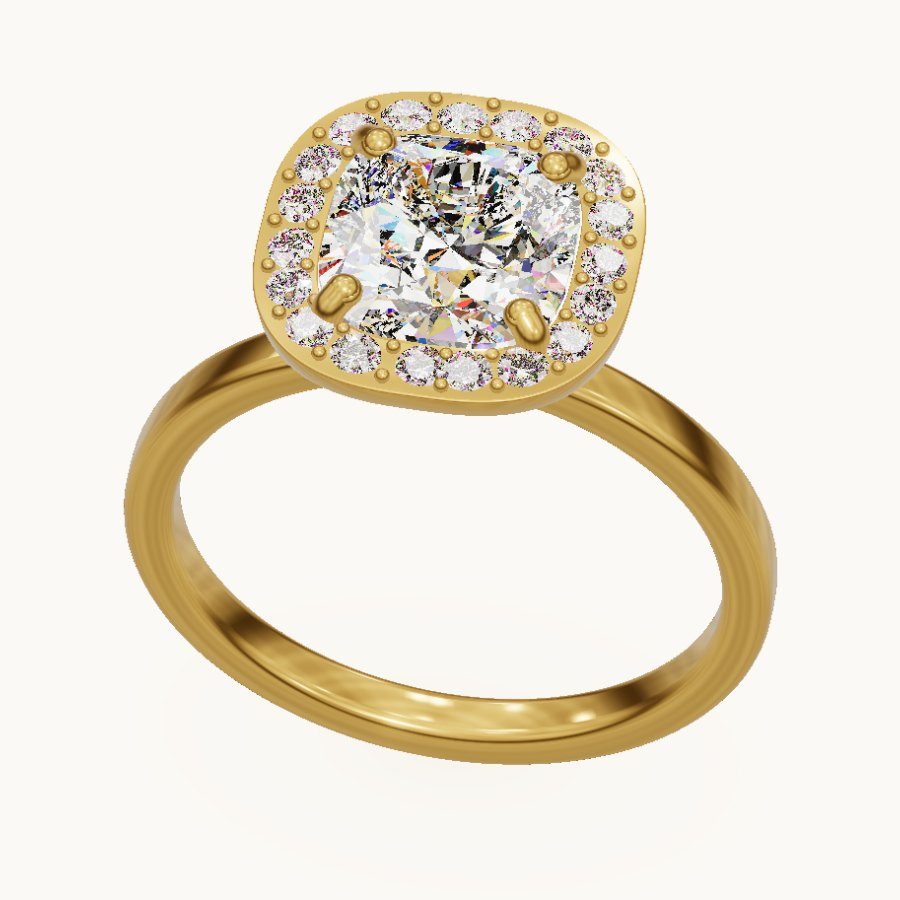
- Halos, side stones, pavé bands, split shanks, cathedral arches and twists, each fitted around the chosen center stone rather than placed as a fixed part.
- A casting file. The ring downloads as an STL at true size, metal alone or with every stone in its seat, which a jeweler's CAD program opens.
Why the stones look real
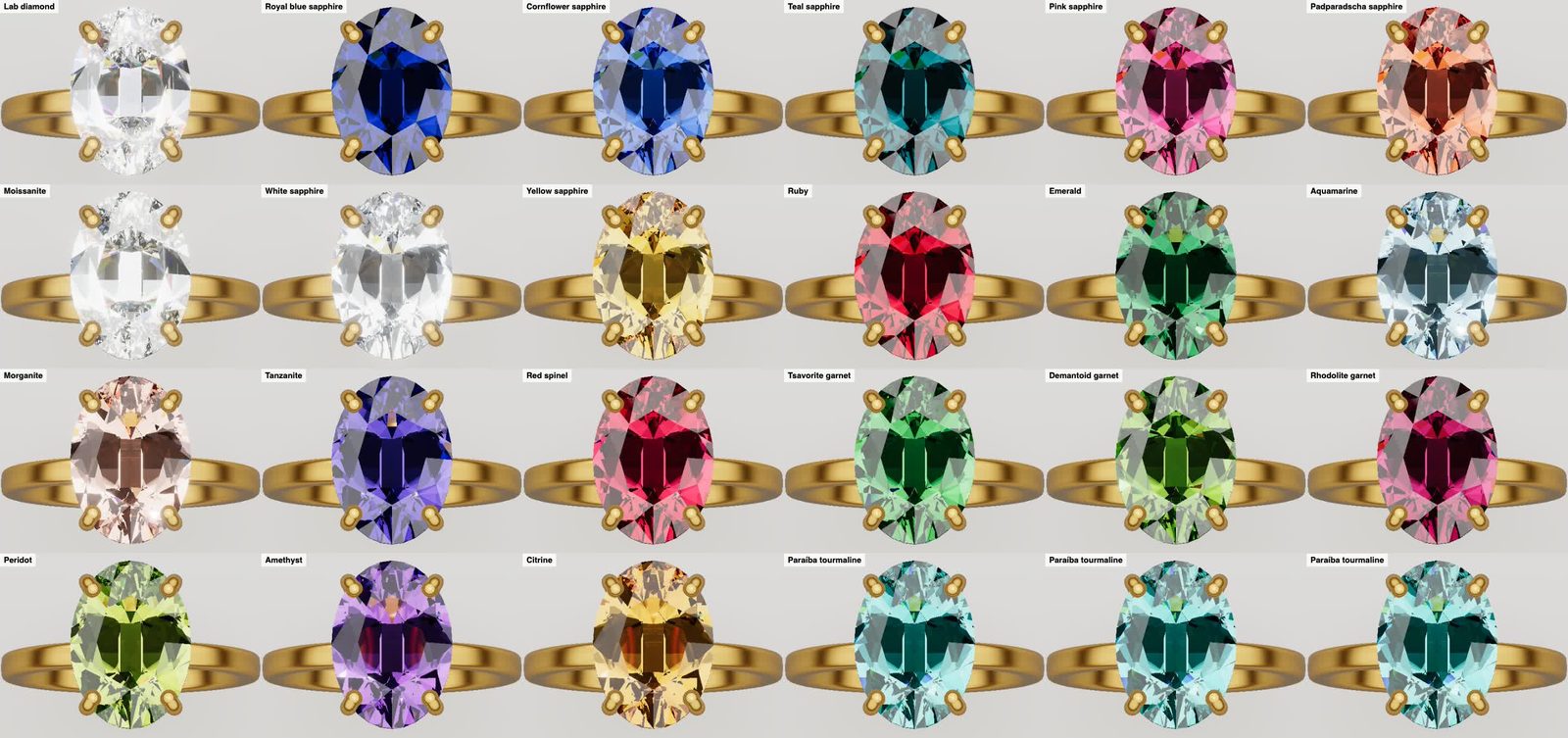
- Light is traced through each stone wavelength by wavelength, with each gem's measured refractive index and dispersion. That is where the coloured flashes of fire come from.
- Four lighting rooms, from a catalogue light tent to store spotlights and candlelight, because a stone only sparkles against light and dark around it.
- A light performance map shows the stone from above the way a gem lab's ASET scope does, so a badly proportioned stone looks bad here too.
- Photo mode path-traces the metal for a catalogue-quality still, and video mode records a turntable clip.
Help with the decision, not just the picture
- What it should cost: a range built from current online retail listings, scaled by the stone's grade, plus the metal's weight in grams worked out from the ring's own volume.
- Try-on: a hand-tracking model finds the ring finger in a photo or the live camera and sits the ring on it, with a soft shadow on the skin. It all runs on the phone.
- Compare: pin up to three builds and see them side by side, or copy a short design code to share one.
- True size shows the ring at its real size on screen.
Ready for a real store
The builder drops into a jeweler's own site. I built four invented jewelry shops around it, each in a different style, where every product photo in the catalogue is rendered from the builder itself, so a store can add a design without a photo shoot. The pitch to a store: a modern site, online booking and a ring builder its customers can play with.
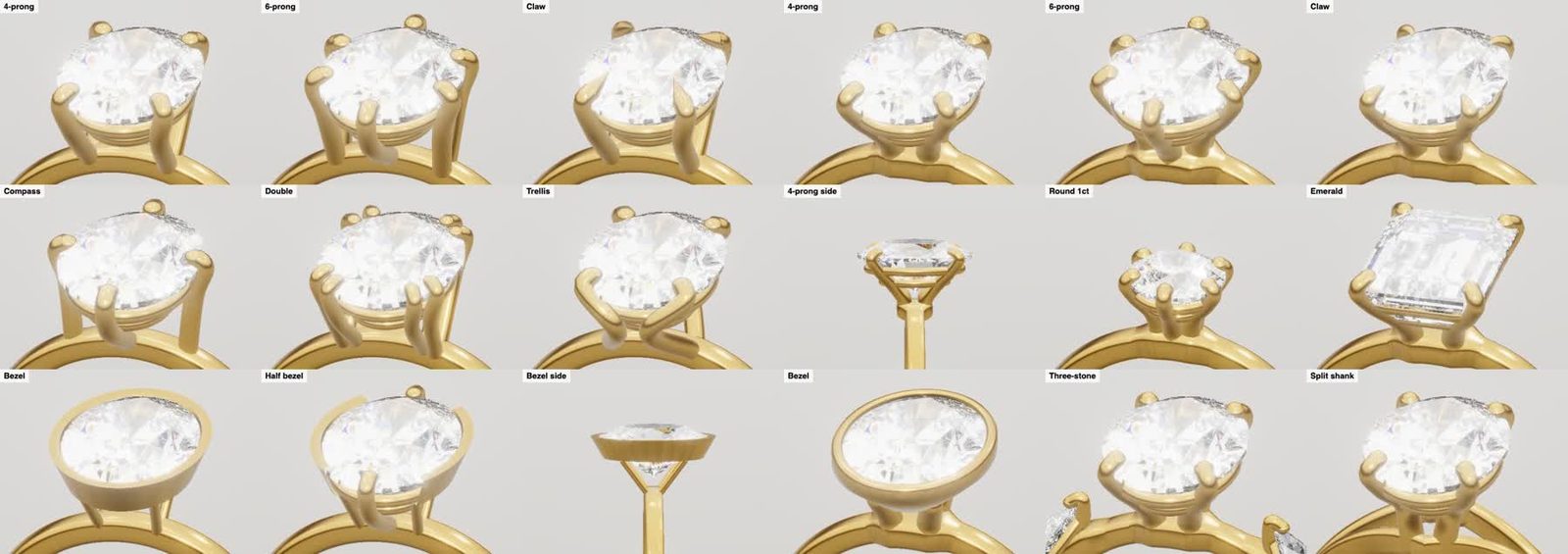
Built with Claude Code over two days and more than twenty published versions. I set the bar, a builder that could sit on a real jeweler's site, and reviewed every round against real ring photos; Claude wrote the 3D modelling, the optics, the pricing, try-on and the demo stores, researched openly licensed ring CAD to check its proportions against, and rendered the comparison sheets used to judge each change.
ASCII and generative art
Live animation drawn entirely in text characters. Nothing is a video: every frame is computed in the browser as you watch.
Case study 31 · ASCII animation
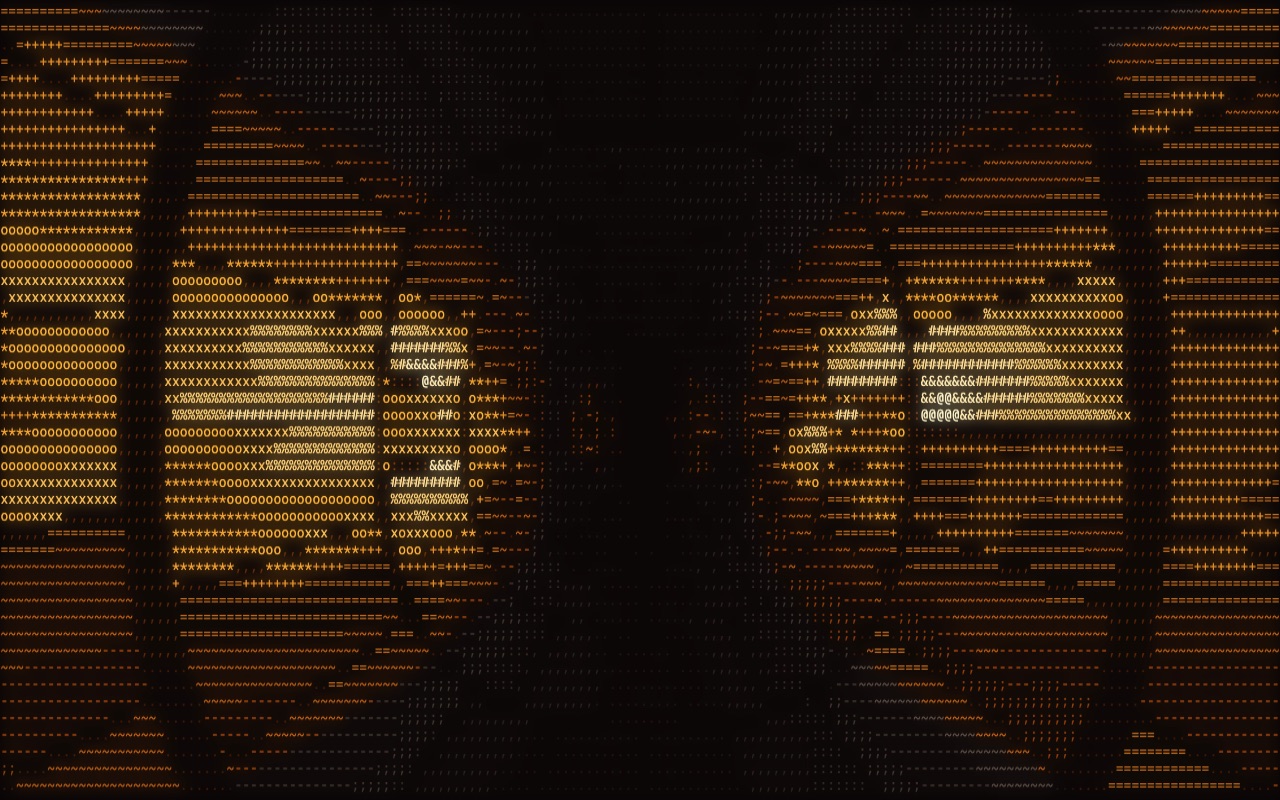
Hollow Hours
Fifteen spooky scenes made to run fullscreen as a Halloween background, from a candlelit jack-o'-lantern to homages to The Shining, The Ring, Nosferatu and Psycho.
Hollow Hours
Fifteen spooky scenes made to run fullscreen as a Halloween background, from a candlelit jack-o'-lantern to homages to The Shining, The Ring, Nosferatu and Psycho.
Open Hollow HoursArrow keys or 1–9 switch scenes; it cycles on its own

The scenes
The first eight are originals: the lantern, a fog-bound graveyard, a bubbling cauldron over magenta fire, eyes in the dark that follow your cursor, a lightning-lit manor, drifting ghosts, a spider on its web and the catacombs. The next seven are classic horror: the Overlook hallway with its hexagon carpet and the twins, the cursed tape climbing out of the TV, Nosferatu's shadow on the stairs, Frankenstein's laboratory, the Psycho drain dissolving into an eye, the Exorcist streetlamp, and The Birds gathering on the wires.
How it's drawn
Each scene writes a brightness and a colour channel into a grid of character cells, and one renderer turns brightness into characters from a density ramp. Some scenes are simulations, such as the fire, the rain and the flocking birds; the pumpkin is a signed-distance model ray-marched per cell. A blurred copy of the canvas, blended on top, gives the glow.
I set the brief, pushed it well past the obvious, asked for the classic-film set, and chose what stayed. Claude Code wrote the code.
Case study 32 · Generative scene
Aurora Lake
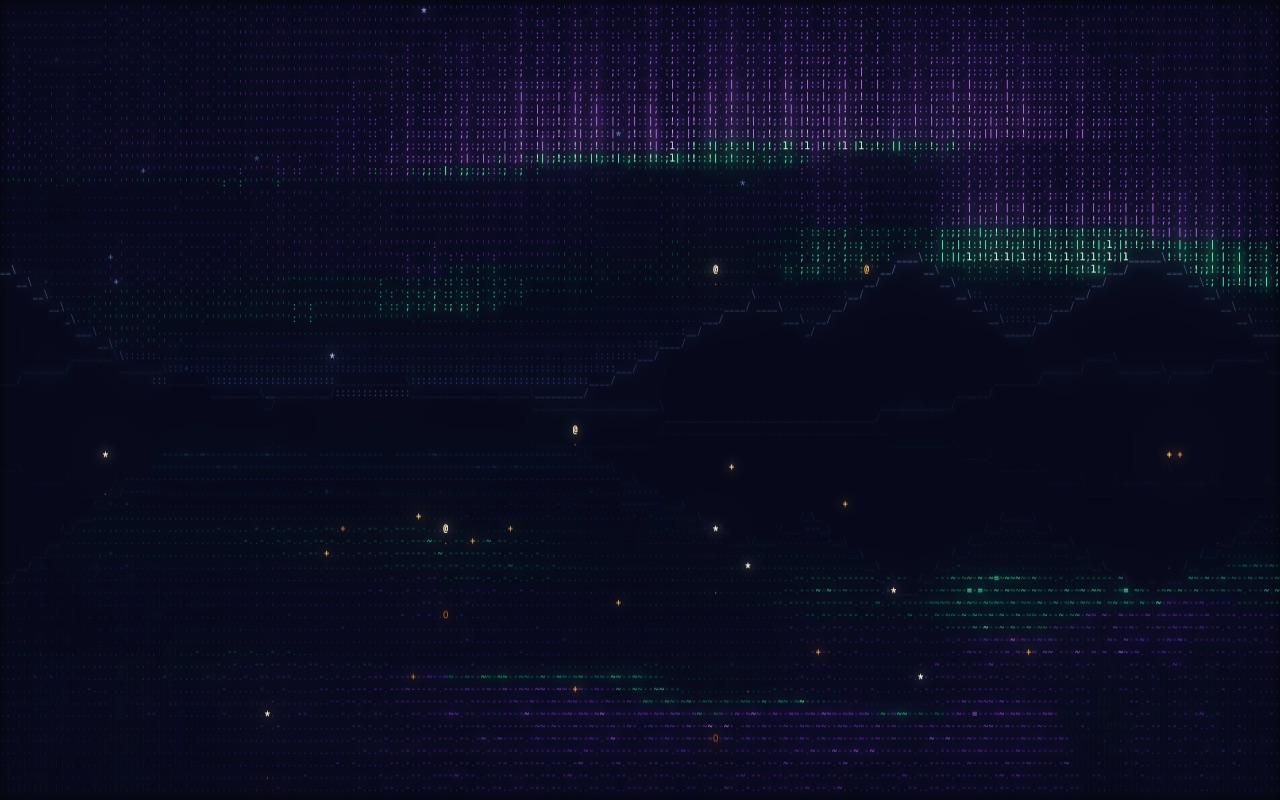
Northern lights over a mountain lake, made to be sat with: the light breathes at six breaths a minute, the water ripples where you move, and clicking releases a paper lantern into the sky.
Aurora Lake
Northern lights over a mountain lake, made to be sat with: the light breathes at six breaths a minute, the water ripples where you move, and clicking releases a paper lantern into the sky.
Open Aurora LakeMove over the water, click to release a lantern, press S for sound
What's in it
- Aurora curtains that drift and fold, built from layered noise per column.
- Mountain ridgelines traced in slash and caret characters, snow catching the light.
- A star field wheeling around the pole, a faint Milky Way and the odd shooting star.
- A mirror lake that reflects everything, broken by swells and by your ripples.
- Fireflies, swaying reeds and lanterns, each with its own reflection.
The breathing
The aurora brightens and dims on a ten-second cycle, which is a calm breathing pace, so you can breathe along with it. An optional ambient pad is synthesised live in the browser and swells with the same cycle; there are no audio files.
The brief was to make the most beautiful, entrancing ASCII art I could. I judged each pass and Claude Code built and rebuilt it until the composition held.
Case study 33 · Psychedelic visuals
Prism Trip
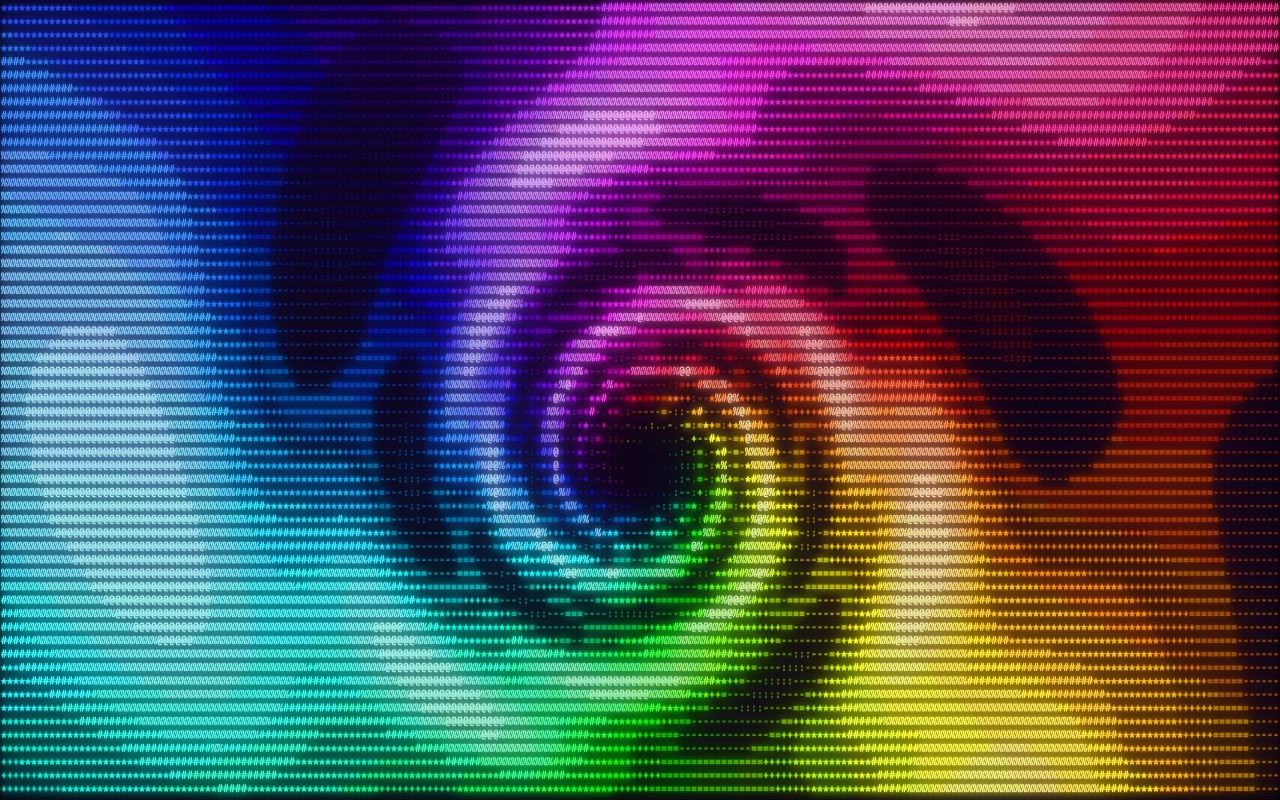
A psychedelic light show in full-colour text with eight modes, from a wormhole and a kaleidoscope to a morphing fractal and living reaction-diffusion patterns. It also runs natively inside AgentForge, my Mac app.
Prism Trip
A psychedelic light show in full-colour text with eight modes, from a wormhole and a kaleidoscope to a morphing fractal and living reaction-diffusion patterns. It also runs natively inside AgentForge, my Mac app.
Open Prism TripKeys 1–8 switch modes; C auto-cycles; F goes fullscreen
The eight modes
- Wormhole and Hypno spiral, both steered by the cursor.
- Kaleidoscope, eight mirrors around a blooming centre.
- Plasma, the classic demoscene colour waves.
- Fractal, a Julia set whose seed you bend with the cursor.
- Interference, ripples from moving sources, one following you.
- Turing, reaction-diffusion growing coral and mazes; drag to seed it.
- Liquid, noise folded into itself until it flows like oil on water.
In the browser and on the Mac
On the web, each cell picks one of 504 colours (36 hues by 14 brightness levels), and characters are drawn in batches by colour. In AgentForge it is a TRIP tab in ASCII Studio, written in Swift: glyphs are pre-tinted into tiles once, so each frame is a set of memory copies into one image, with a borderless fullscreen view on top.
I asked for a psychedelic version with modes, then for it inside AgentForge. Claude Code wrote both, the browser piece and the Swift port.
Case study 34 · 3D in text
Notre-Dame, turning
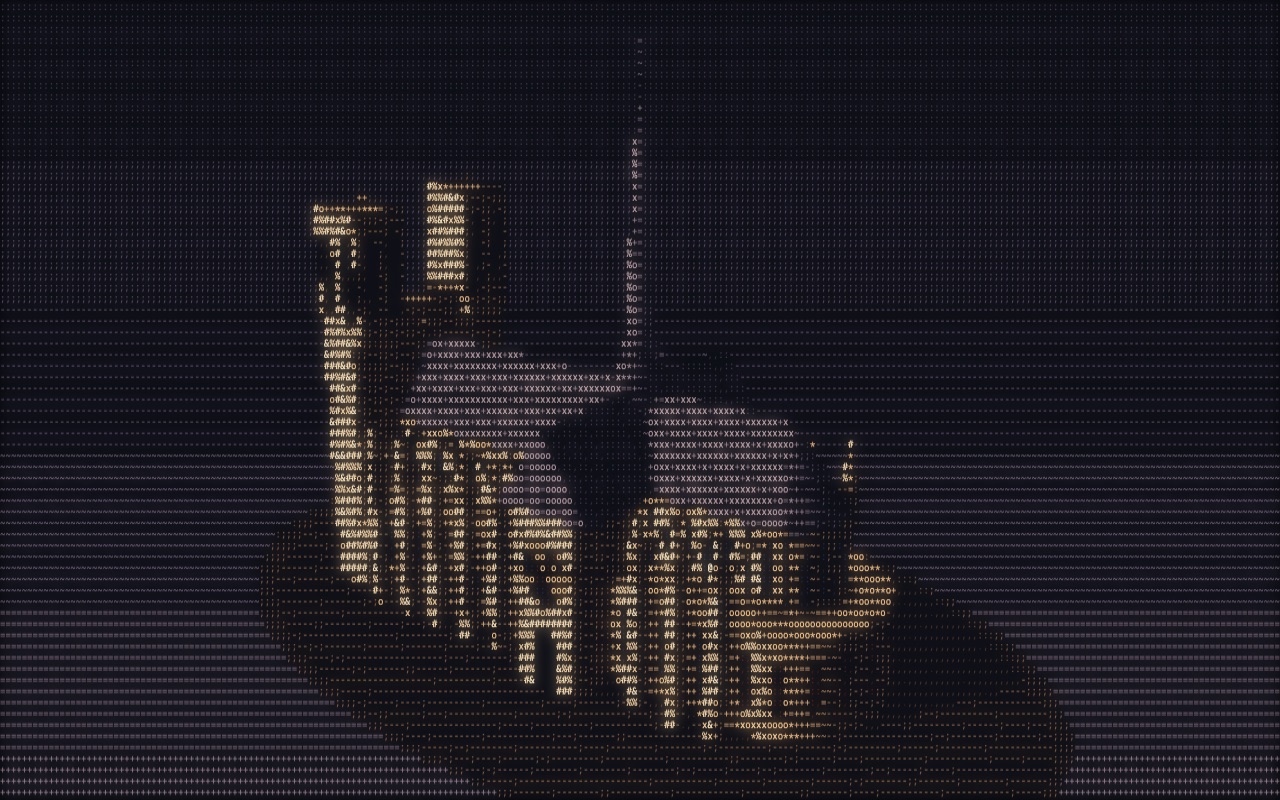
The cathedral as a real 3D model drawn in characters, turning on a turntable, with day, golden-hour and floodlit-night lighting.
Notre-Dame, turning
The cathedral as a real 3D model drawn in characters, turning on a turntable, with day, golden-hour and floodlit-night lighting.
Open Notre-DameDrag to turn it; pick a time of day
The model
The building is a set of signed-distance shapes: the west front and its towers, the nave and side aisles under a pitched lead roof, the transept, the rounded east end, repeating flying buttresses and the spire. Rose windows, portals and belfry louvres are painted onto the faces where they belong, and the cathedral casts a moving shadow on the plaza.
The light
By day the sun lights each wall in turn as the building rotates. At night floodlights come up from below and the rose windows glow blue and red. The palette blends smoothly through the cycle.
I asked for a cathedral, then rejected the flat façade and asked for 3D. Claude Code built it.
Case study 35 · 3D in text
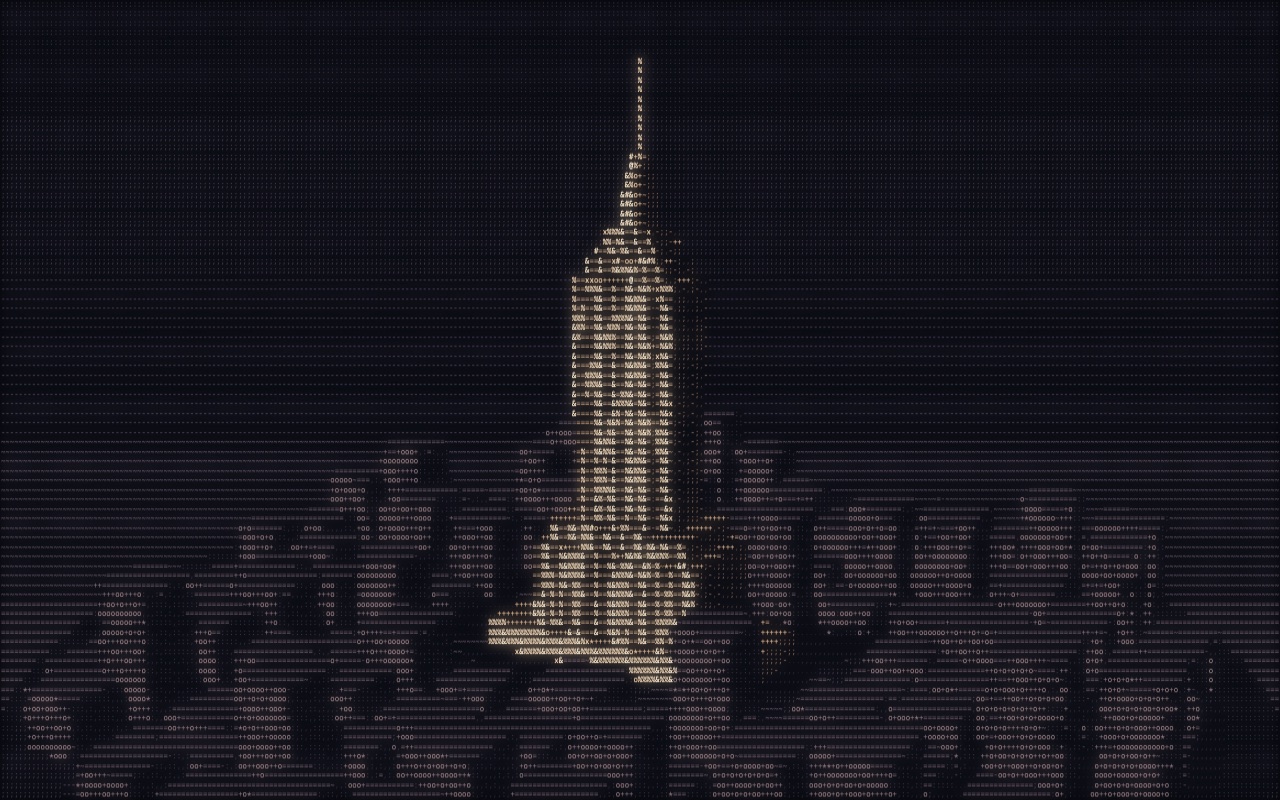
Empire State, turning
The Empire State Building and the Midtown blocks around it, turning in 3D, with the crown lit orange and purple after dark. You can change how the text itself looks.
Empire State, turning
The Empire State Building and the Midtown blocks around it, turning in 3D, with the crown lit orange and purple after dark. You can change how the text itself looks.
Open Empire StateDrag to turn it; set detail, weight and characters
What changes
- Detail: 40 to 150 rows of characters, from chunky to fine.
- Weight: light, regular, semibold or bold.
- Characters: a classic ramp, a dense 70-character ramp, or solid block shading.
- Time of day: day, golden hour or night, or a slow cycle.
The city
Office windows light up in a random scatter at night, streetlights come on along the avenues, and by day the tower's shadow sweeps across the streets. The antenna is too thin to ray-march, so it's drawn as a line with a depth test against the scene.
I asked for the building and for controls over how the text looks. Claude Code built it.
Case study 36 · 3D portrait
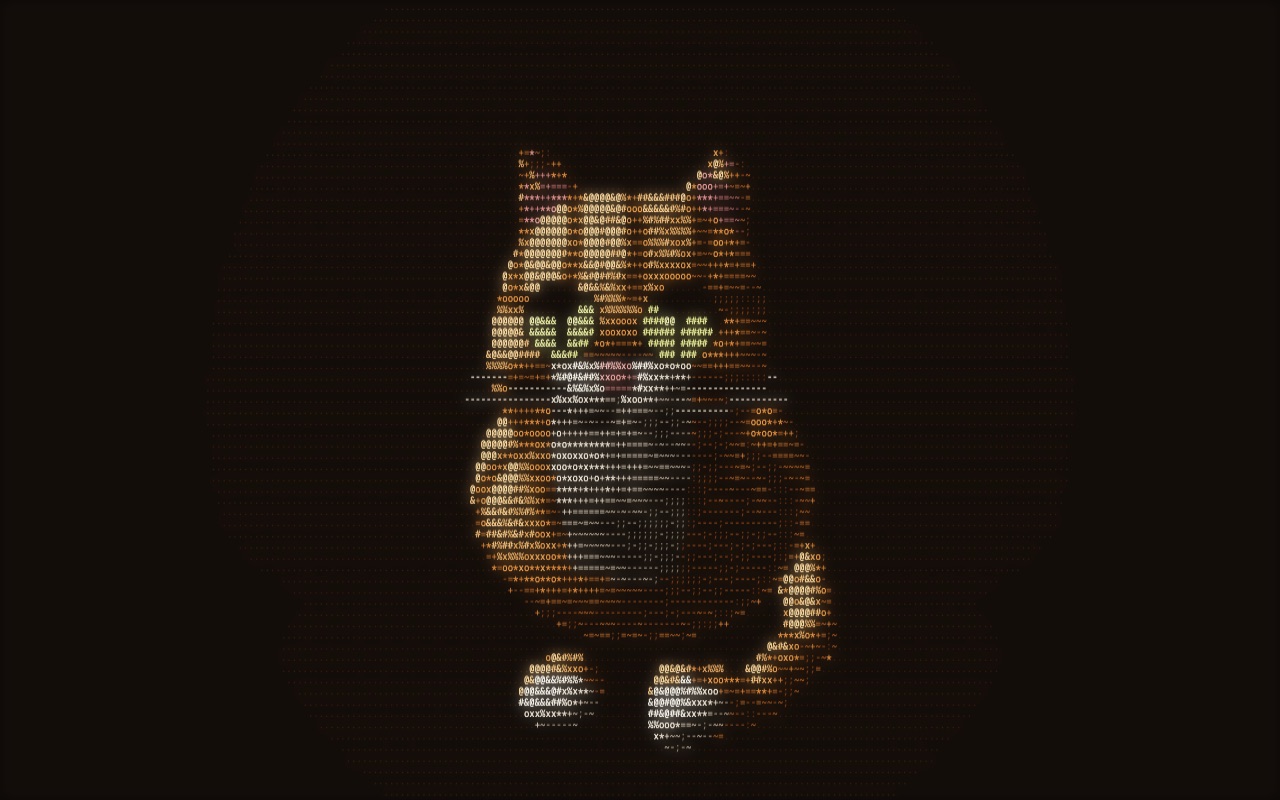
Skippy, turning
My orange tabby, Skippy, as a 3D model drawn in characters and turning 360° on a loop, modelled from photos down to his sleepy half-lidded eyes.
Skippy, turning
My orange tabby, Skippy, as a 3D model drawn in characters and turning 360° on a loop, modelled from photos down to his sleepy half-lidded eyes.
Open SkippyDrag to spin him
How he's made
Skippy is built from blended ellipsoids for the body, head, cheeks, muzzle and paws, cones for the ears, and a chain of capsules for the tail. Tabby stripes come from his position on the body, the eyes are painted onto the face with slit pupils, and he blinks every few seconds. I supplied the photos; Claude Code built the model.
Case study 37 · Teaching animations
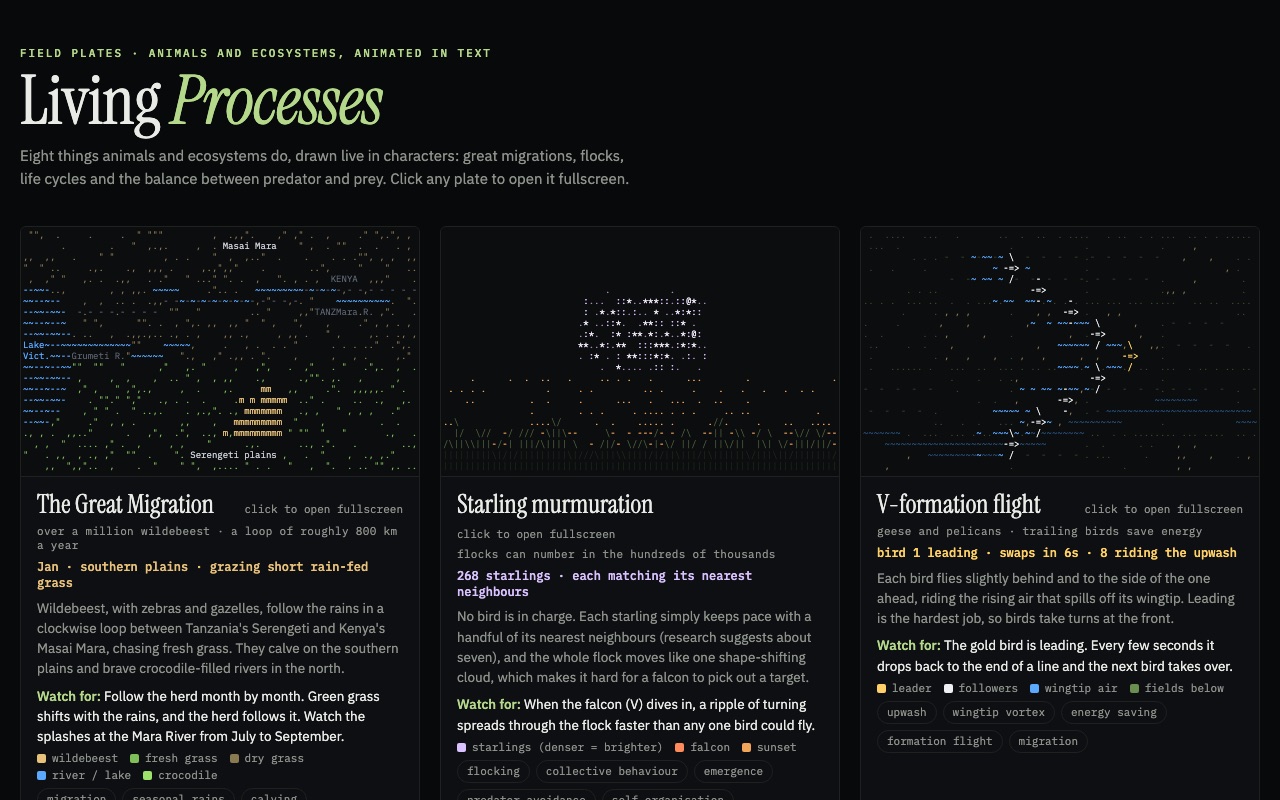
Living Processes
A teaching gallery of eight animal and ecosystem processes animated in text, from the Great Migration to metamorphosis, each opening fullscreen with notes on what to watch for.
Living Processes
A teaching gallery of eight animal and ecosystem processes animated in text, from the Great Migration to metamorphosis, each opening fullscreen with notes on what to watch for.
Open Living ProcessesClick any plate to open it fullscreen
The plates
- The Great Migration, month by month between the Serengeti and the Masai Mara.
- A starling murmuration that ripples when a falcon dives in.
- Geese in V-formation, taking turns at the front.
- A salmon run up a waterfall, past a bear, to the spawning gravel.
- The monarch migration across four generations to Mexico.
- Lynx and hare populations rising and crashing.
- Ant trails forming from pheromones.
- Metamorphosis from egg to butterfly.
For the classroom
Each plate names the stage it's in as it happens ("Aug · crossing the Mara River · crocodiles wait"), gives the real scale behind the compressed time, and pauses with a click so a teacher can talk through a moment. Several plates are simulations rather than scripts: the flock, the ants and the predator–prey cycle all run on simple rules.
I set the subject and the audience, and redirected it from cell biology to animals and ecosystems. Claude Code built it.